Yamli Not Working? 7 Best Yamli Alternatives for Typing Arabic (2026)
Yamli's site shows loading errors and hasn't been updated since 2017. Here are 7 working alternatives for typing Arabic with English letters, compared on accuracy, dialects, tashkeel and privacy.
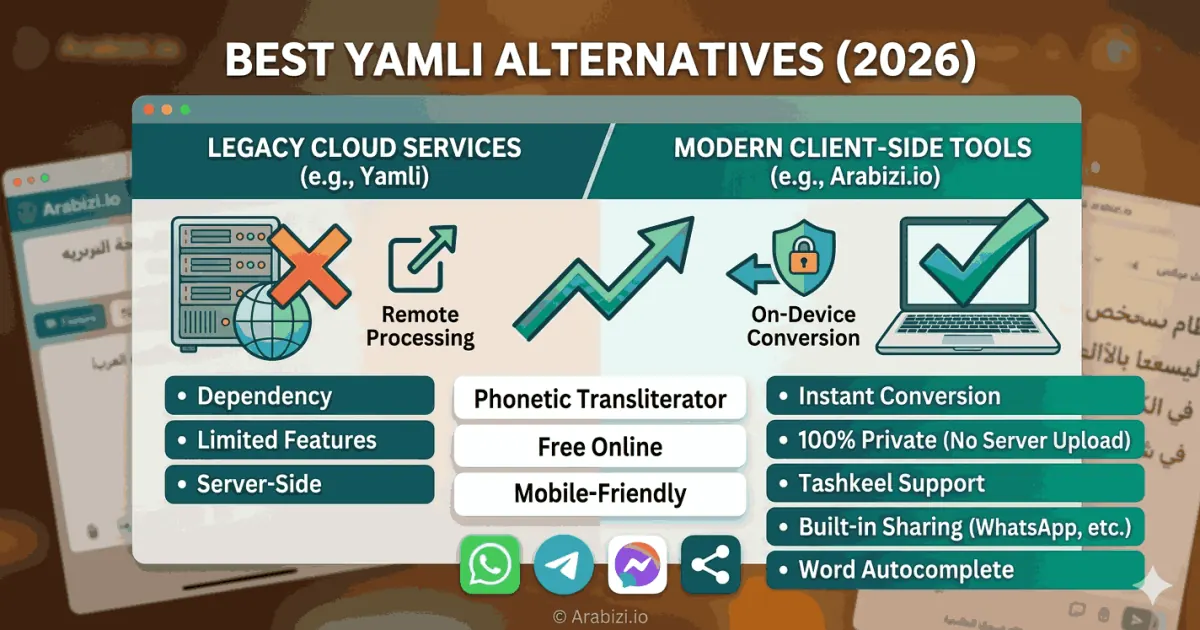
Short answer: if Yamli isn't loading for you, the closest replacement is a phonetic Arabic keyboard that converts whole words as you type — Arabizi.io (free, no sign-up, runs entirely in your browser), ArabiKey (which embeds a Yamli-style button) or Noqta (with a dialect selector). For permanent use on one device, Google Input Tools for Chrome or your phone's own Arabic keyboard are the alternatives. The full comparison is below.
Is Yamli still working?
Yamli pioneered "type it like it sounds" Arabic on the web in the late 2000s: you typed marhaba and it suggested مرحبا. When we checked yamli.com in October 2026, the homepage displayed the message "There was an error loading Yamli", and its footer still read "© 2017 Language Analytics LLC — Build 5527 - 11/4/2017". The browser extensions and API are still linked, but the site shows no sign of updates in years.
It may work for you intermittently, but if you rely on it daily it's worth having a backup. Here is what to look for in one.
What makes a good Yamli alternative?
Yamli's magic wasn't the keyboard — it was the word-level guessing. Arabizi (Arabic written in Latin letters) leaves out information Arabic spelling needs: whether a vowel is long, whether s means س or ص, whether a final a is ة, ا or ى. A good replacement should:
- Convert whole words, not letters.
kitabshould give كتاب (with the long alif), not كتب. - Offer alternative spellings you can pick with a click or a key.
- Understand Arabizi numbers —
3= ع,7= ح,9= ق,5= خ,2= ء. - Know dialect words, because most Arabizi is Egyptian, Levantine, Gulf or Maghrebi rather than formal Arabic.
- Respect privacy — ideally your text never leaves your device.
- Let you add tashkeel (vowel marks) when you need them.
The 7 best Yamli alternatives compared
| Tool | Word-level phonetic typing | Arabizi numbers (3, 7, 9) | Dialect support | Tashkeel | Install needed |
|---|---|---|---|---|---|
| Arabizi.io | ✅ | ✅ | ✅ dictionary for 4 dialect groups | ✅ one-click row | ❌ |
| ArabiKey | ✅ via Yamli button | ✅ | — | ✅ + automatic vowels | ❌ |
| Noqta | ✅ | ✅ | ✅ dialect selector | ✅ harakat tab | ❌ |
| Lexilogos | ❌ letter codes | ❌ | ❌ | ✅ with =a, =u codes | ❌ |
| Branah | ❌ on-screen / key mapping | ❌ | ❌ | ✅ shift layer | ❌ |
| Google Input Tools | ✅ | varies | limited | ❌ | ✅ Chrome extension |
| Phone keyboard (Gboard, iOS) | ❌ Arabic layout | ❌ | predictive text | partial | built in |
Feature notes come from each tool's own page as of October 2026. Availability can change, so check the tool before relying on it.
1. Arabizi.io — best free, private all-rounder
Disclosure: this is our tool, so weigh our opinion accordingly — but here's exactly what it does. Arabizi.io converts each word as you type using three layers: a dictionary of several hundred common Arabizi spellings, dialect words and names; a pronunciation model that generates every plausible Arabic spelling; and a ranking step against a 40,000-word Arabic frequency list. So jamila becomes جميلة, mas2ala becomes مسألة and bel3arabi becomes بالعربي. Alternatives appear as chips you can pick with Tab.
- Everything runs in the browser — nothing you type is uploaded.
- One-click tashkeel row, on-screen Arabic keyboard, copy, send to WhatsApp, translate and text-to-speech.
- Separate tools to convert pasted Arabizi to Arabic, convert Arabic back to Arabizi and write a name in Arabic.
Best for: anyone who used Yamli for chats, emails or search and wants a no-install replacement.
2. ArabiKey — best if you want automatic vowels
ArabiKey is an on-screen Arabic keyboard with a Yamli button for phonetic input and a diacritization button that adds vowel marks automatically. It also links to grammar lessons and a verb conjugator. Because its phonetic mode relies on a Yamli-style engine, check that it works for you if Yamli itself is failing.
Best for: learners who want vowelled text.
3. Noqta — best for choosing a dialect
Noqta's Arabic keyboard suggests Arabic words as you type phonetically and has a dialect selector (Standard, Maghrebi, Gulf, Egyptian, Levantine) so suggestions match how you speak — for example واش in the Maghreb versus وش in the Gulf. It also supports glide typing on the on-screen keyboard and a standard 101 layout.
Best for: dialect speakers who want suggestions in their own variety.
4. Lexilogos — best for precise, letter-by-letter control
Lexilogos is a long-running multilingual keyboard site. Its Arabic keyboard maps Latin keys to letters using its own conventions — capitals for emphatics (S = ص, T = ط), an apostrophe for dotted letters, =a, =i, =u for short vowels — rather than chat-style numbers. It doesn't guess whole words, so you need to know the spelling.
Best for: people who already know Arabic spelling and want exact control.
5. Branah — best simple on-screen keyboard
Branah offers a clean Arabic keyboard you can use with the mouse or your physical keyboard (Shift and AltGr reveal extra letters), plus a separate Arabic-to-Latin converter based on ISO 233.
Best for: clicking letters you can't find on your own keyboard.
6. Google Input Tools — best browser-wide option
Google Input Tools is a Chrome extension that adds input methods, including Arabic transliteration, to text fields across the web. The old Windows desktop app was removed in 2018, so on Windows you'll need Chrome. It requires installing an extension and granting it access to the pages you type on.
Best for: typing Arabic directly into any website in Chrome.
7. Your phone's Arabic keyboard
Gboard and the iOS keyboard both include Arabic layouts with predictive text. They don't convert English letters to Arabic, but if you're willing to learn the layout they're always available. See our guide to typing Arabic on iPhone and Android.
Best for: people who type Arabic every day on mobile.
Which Yamli alternative should you choose?
| If you… | Use |
|---|---|
| Want the closest Yamli experience with no install | Arabizi.io, ArabiKey or Noqta |
| Care most about privacy | A client-side tool like Arabizi.io |
| Need vowel marks added for you | ArabiKey |
| Write mostly in one dialect | Noqta (selector) or Arabizi.io (dictionary) |
| Want Arabic in every website field | Google Input Tools (Chrome) |
| Already know the Arabic layout | Your OS or phone keyboard |
Privacy: why "client-side" matters
Server-based transliteration sends each keystroke or word to a remote API to get suggestions back. That's fine for search queries, but less so for private messages, passwords or work documents. A client-side tool downloads its engine and word list once and does the conversion on your own device, so nothing you type is transmitted. You can verify this yourself: open your browser's developer tools, switch to the Network tab and type — no requests are made.
Frequently asked questions
Why is Yamli not working? We can't know the internal reasons, but in October 2026 the Yamli homepage displayed a loading error and its build date was 2017. Clearing your cache or trying another browser may help; otherwise use one of the alternatives above.
Is there a free Yamli alternative with no sign-up? Yes. Arabizi.io, ArabiKey, Noqta, Lexilogos and Branah are all free in the browser without an account.
Can I convert a whole paragraph of Arabizi at once, like Yamli's editor? Yes — paste it into the Arabizi to Arabic converter. Every word is converted, and you can click any word to swap it for another spelling.
Does any alternative work offline? Once Arabizi.io has loaded, its engine and dictionary run locally, so typing keeps working on a flaky connection. Sharing, search and translate still need internet.