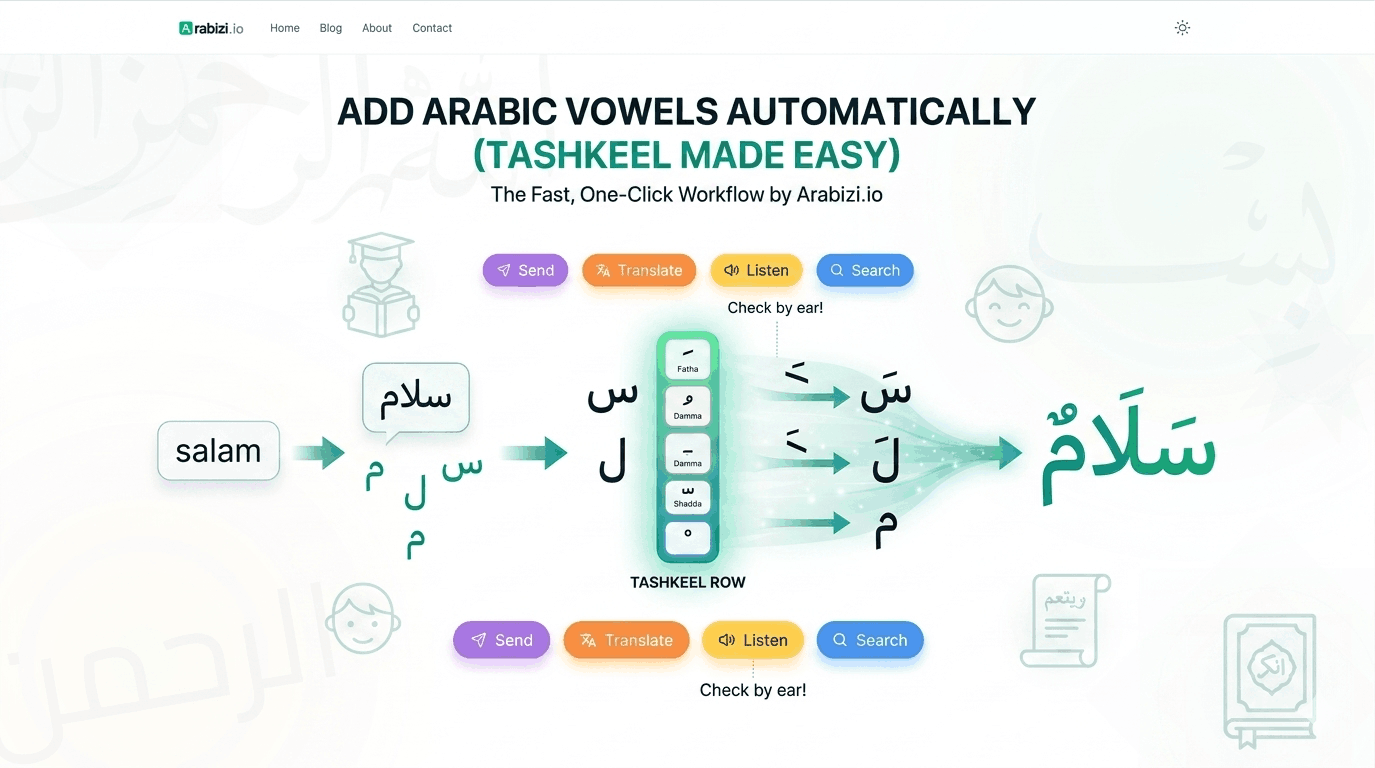
How to Add Arabic Vowels Automatically (Tashkeel Made Easy)
Adding Arabic short vowels by hand is slow. Learn how automatic vowels and a one-click tashkeel row make vocalizing Arabic text fast and accurate.
Arabic short vowels — the tashkeel marks like fatha, damma, and kasra — are essential for learners, children's books, poetry, and the Quran. But adding them by hand, hunting through a keyboard's shift layer for each mark, is tedious. Here's how to make vocalizing Arabic fast.
Why vowels matter
Standard Arabic text omits short vowels, and fluent readers infer them. But without them, a word can be read several ways. كتب could be kataba ("he wrote"), kutiba ("it was written"), or kutub ("books"). For anyone still building fluency — or any text where pronunciation must be exact — written vowels remove all doubt. (New to the marks? Start with our tashkeel guide.)
The slow way (and why it's painful)
On a physical Arabic keyboard, every diacritic sits on the Shift layer, scattered across the number and top rows. To vocalize a single word like مُحَمَّدٌ you'd press Shift, find the right key, release, type the next letter, repeat — for every single mark. It's error-prone and slow.
The fast way: a one-click tashkeel row
A dedicated tashkeel row puts every diacritic in one visible strip, always available:
- Type your word on the Arabizi.io keyboard — by clicking letters or with phonetic transliteration.
- Place your cursor right after the letter you want to mark.
- Click the diacritic — fatha (َ), damma (ُ), kasra (ِ), shadda (ّ), sukun (ْ), or any tanween.
No shift states, no hunting. The mark attaches to the previous letter instantly, and you can stack a shadda + vowel on the same letter (like مُحَمَّد).
A worked example
Let's vocalize سلام step by step:
- Type
salam→ سلام appears. - Cursor after س → click fatha → سَلام
- Cursor after ل → click fatha → سَلَام
Result: سَلَام (salām). Three clicks, fully vocalized.
Tips for accurate vocalization
- Order matters: for a doubled consonant, add the shadda first, then the vowel.
- Check by ear: hit Listen to hear the vocalized text via Arabic text-to-speech — if it sounds off, a mark is misplaced.
- Don't over-vocalize: in most real writing, you only mark words that are ambiguous or where pronunciation is taught. Full vocalization is mainly for learners, sacred texts, and poetry.
Who needs this most
- Teachers and students preparing learning materials.
- Parents writing for kids learning to read.
- Content creators producing clear, correct Arabic.
- Anyone quoting poetry or scripture accurately.
Try it now
Open the free Arabic keyboard, type a word, and add vowels from the tashkeel row. What used to take a dozen awkward keystrokes now takes a couple of clicks.